Workflow automation
Multi-step flows across your tools, built in n8n or in code, with retries, logs and an alert when something fails.
The Repetitive Work, Done Without Anyone Touching It.
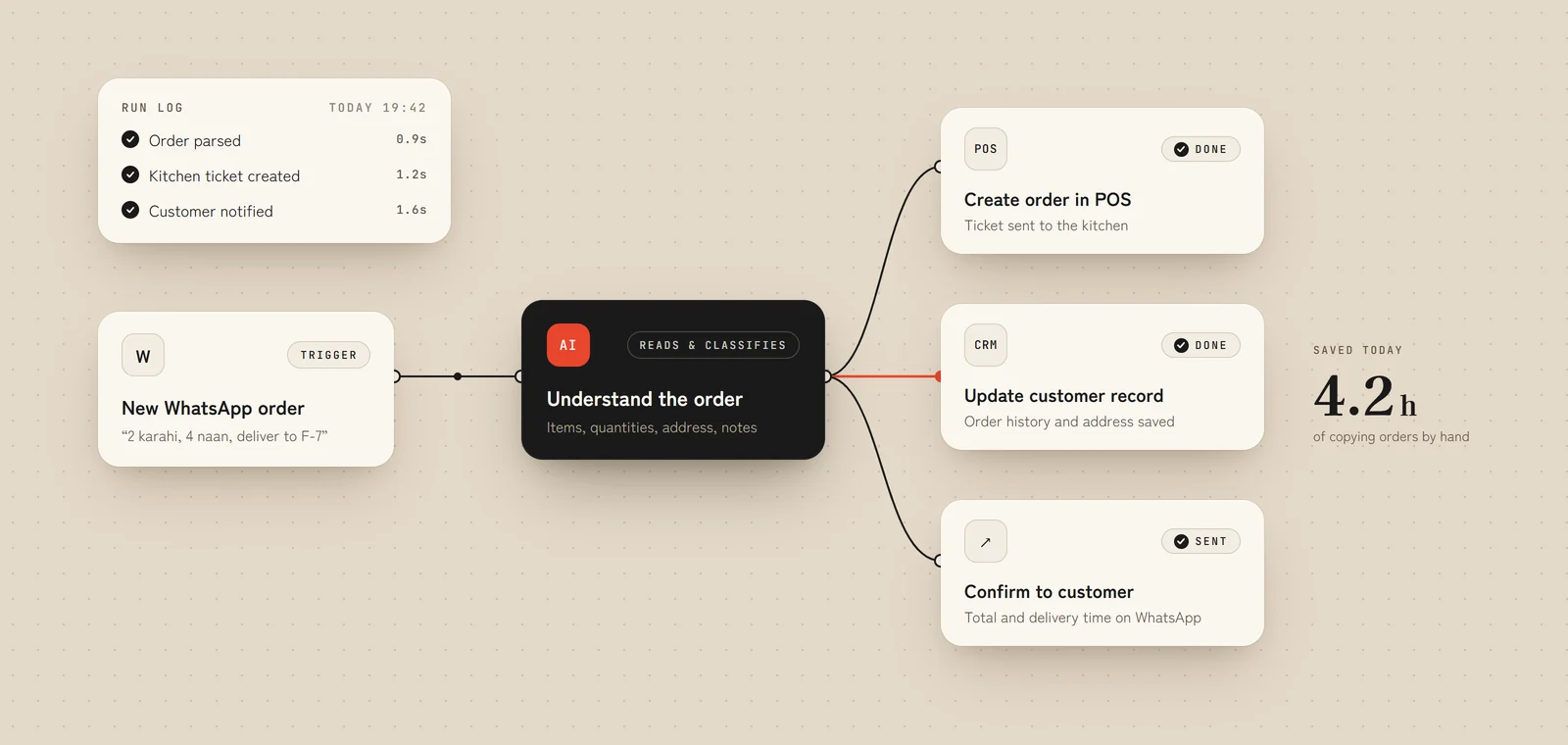
Multi-step flows across your tools, built in n8n or in code, with retries, logs and an alert when something fails.
Leads captured, enriched, routed and followed up on their own. Tickets sorted, then answered or assigned to the right person.
Invoices, receipts, forms and contracts read by AI, checked against your rules and pushed into your accounting or ERP.
The numbers you check every morning, compiled and sent to you, plus an alert the moment something looks wrong.
Systems that were never meant to talk, connected: POS to accounting, website to CRM, WhatsApp to your order system.
Small dashboards and admin panels so your team can see what the automations did, and step in when they need to.
We sit with your team, time the repetitive tasks and rank them by the hours they cost and how often they go wrong.
We agree the triggers, the rules, the exceptions and who gets told when something needs a person.
We build on a safe copy of your data, then run it side by side with the manual process until the results match.
Logs, alerts and plain-language documentation, plus training so your team trusts it and knows how to change it.
Whichever fits the job. n8n for most workflows, because you can host it yourself and see every step. Custom code when the volume, speed or logic outgrows a visual tool.
Every automation has error handling, logging and alerts. If a step fails, the right person hears about it with what failed and why, and nothing is silently lost.
Usually not. We connect what you already use. If a tool is the real bottleneck we'll tell you, and explain the trade-off before you decide.
Before we build, we record how long the work takes and how often it goes wrong. After launch we measure the same things and show you the difference.